Pin/unpin columns
Overview
This feature enables to pin/unpin columns on the grid.
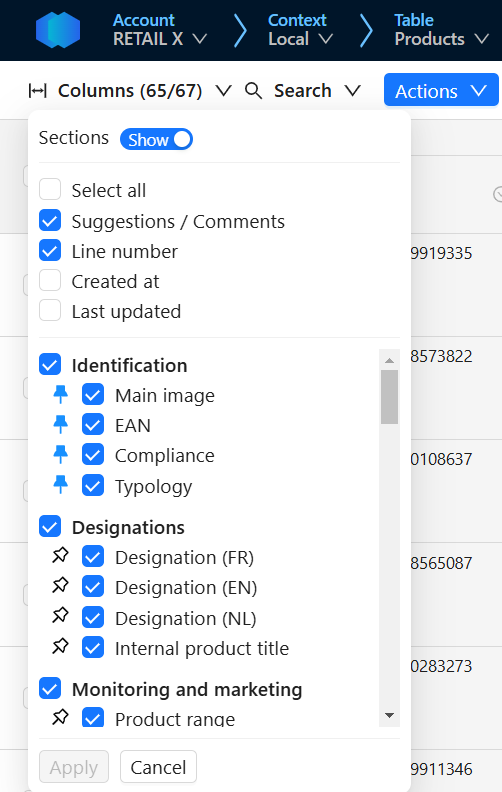
- Based on the screen definition
- All
fixed="true"columns are marked as pinned with a blue pin icon - All
fixed="false"columns are marked as unpinned with a white pin icon
- All
- All columns can be pinned/unpinned whatever the screen configuration
- All pinned columns are marked with a blue pin icon
- All unpinned columns are marked with a white pin icon
- When a column is pinned
- It is displayed at the left of the screen and is not scrollable anymore
- The order of pinned columns depends on its position and its section position in the screen definition
- When a column is unpinned
- It is scrollable
- The order of unpinned columns depends on its position and its section position in the screen definition
- There is no limit to the number of columns that can be pinned
- ⚠️ If many columns are pinned, no scrollable columns may be visible on the grid, depending on its width
Technical details
- This feature is behind the Allow Column pin/unpin feature flag
- This feature also remove the implicit limitation on the maximum number of columns that can frozen in App. That limit is historically set to 5.