Access items in another table
Feature in alpha phase
This feature is currently in alpha phase. It is not yet available to all users and is subject to change. To enable this feature on a given account, please fill this form
Overview
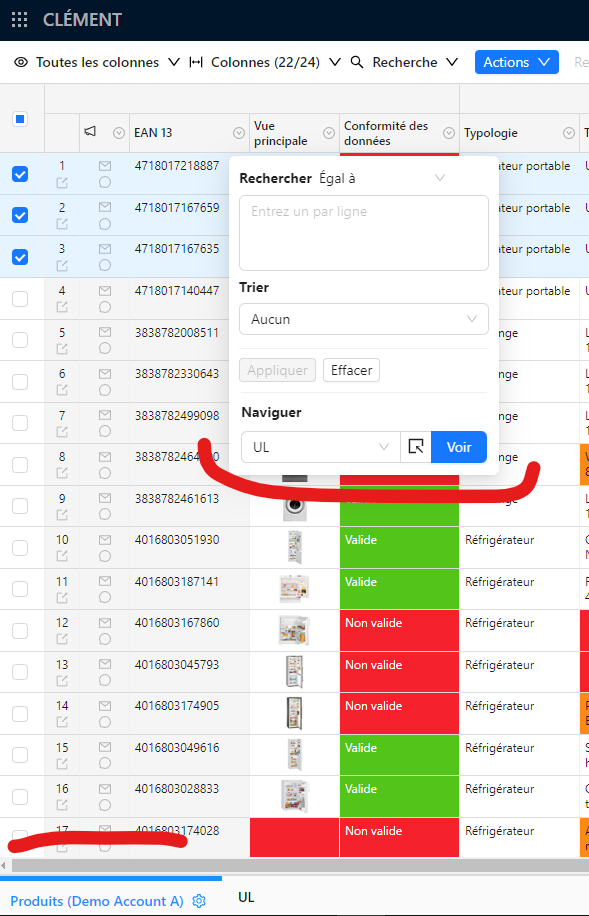
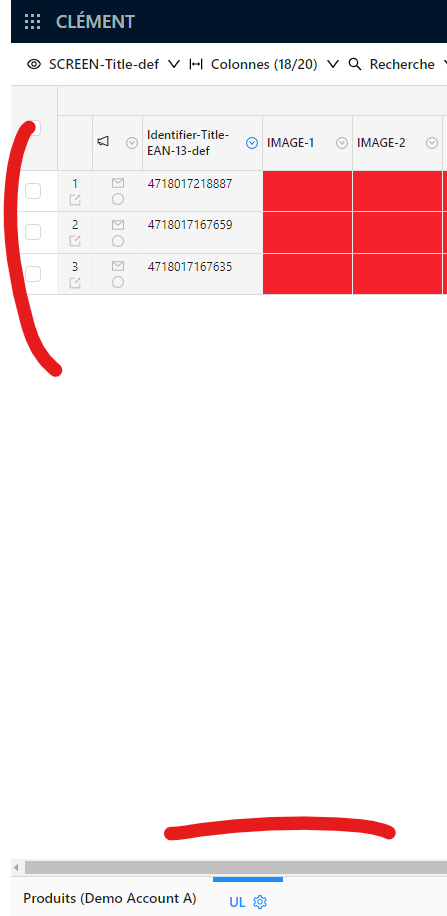
This feature allows you to access items in another table from the current table. To do this, the user must proceed as follows:
- Select one or more items as you would for a data export
- Select a column from which to make a join with another table
- Example: an
EANcolumn that is also present in the target table - This is one of the key points of this feature (and the most limiting): a column must have a key identical to the join column selected by the user.
- Example: an
- The user is then redirected to the selected table (although this can be within the current tab or in a new tab, depending on the option selected (see below)).
Technical details
- This feature uses the access link feature to access the target table with the right filter(s).
- A technical limitation is that the column used for the join must have the same key in both tables. This is a limitation that should be lifted in the future.
- Another technical limitation is that the filter applied on the target table may only concern the items selected in the source table (meaning that the filter is not applied for the item not visible, but present on other pages of the table).