Data Factory - General informations
Data Factory is a service orchestrator, built on top of a tool maintained by Netflix; Conductor
General notes
- Data Factory is a service orchestrator, built on top of a tool maintained by Netflix; Conductor
- Inside the Data Factory platform, you may define jobs, which are a sequence of tasks to be executed within it
- The creation of a Data Factory job is done from the
settings.product-live.comapplication - Pipelines in Data Factory represent execution stacks in which jobs run (More details here).
- Data Factory variables allow the reuse of character strings within jobs. (see here for more details) - This feature is behind a feature flag.
- Many of the Data Factory tasks provide an execution report. (see here for a generic description of those reports)
- Inside the Data Factory platform, the date format used is always ISO 8601 format (see here for more details)
- The number format used is always the format describe here
- A valid path is defined as described here
- A valid filename is defined as described here
Creating and editing a job
The creation of a job is done using a JSON file, the manipulation of which is facilitated by an extension to the IDE vscode (see the repository of the extension). Once generated, the job must be integrated into the platform via the settings.product-live.com interface (see below).
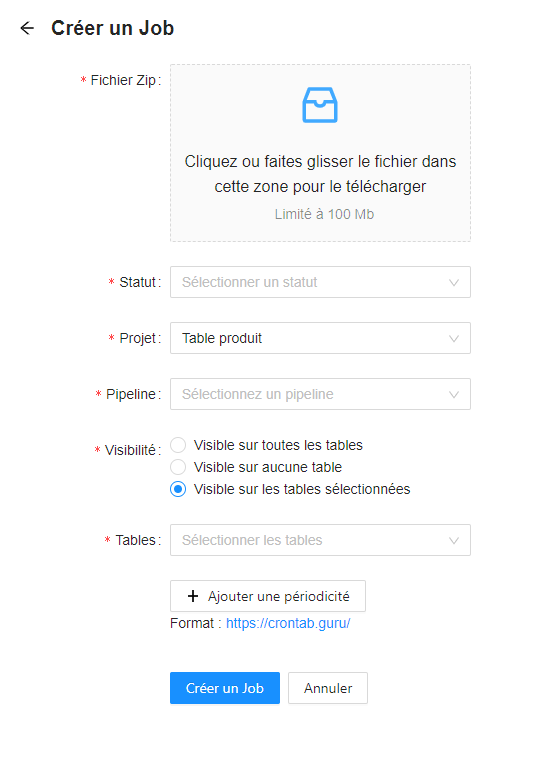
Creation
Job creation form, available here
Edition
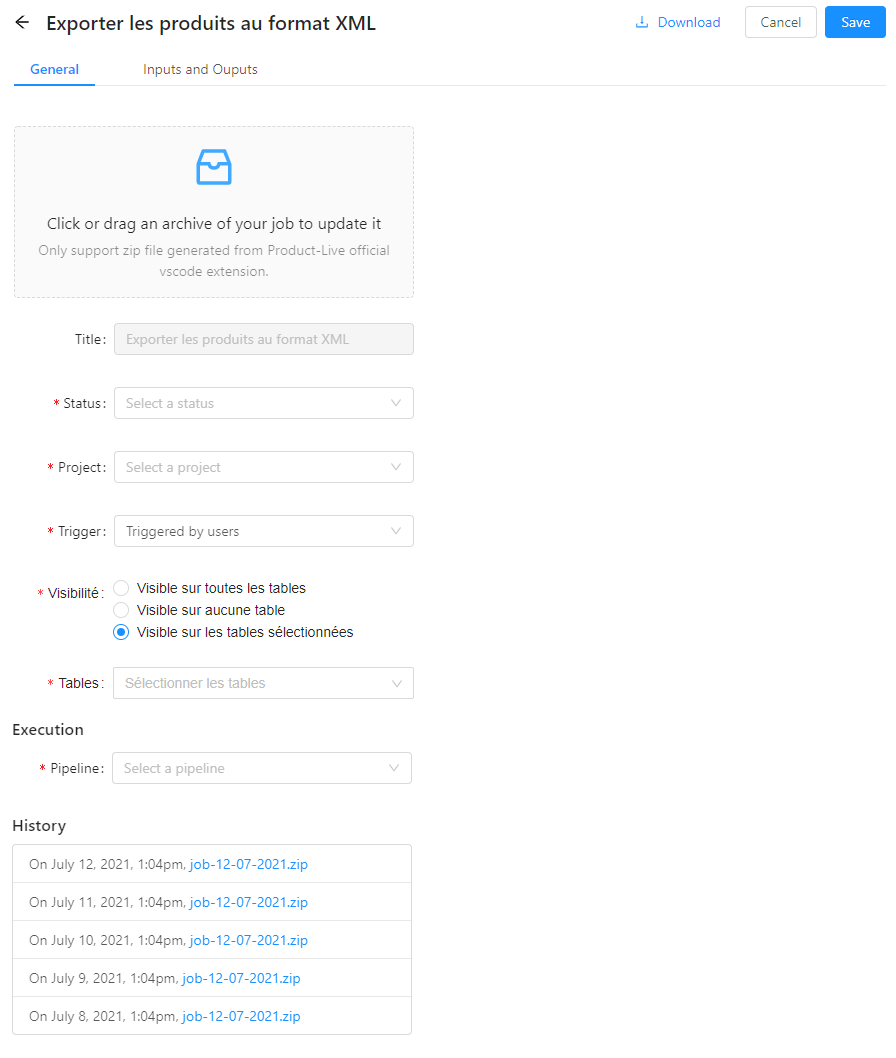
- The job name (Title in the screenshot above) is not editable. To edit the name, the user must update the job name in the job.json file and re-drop the job in the interface.
- all the other properties of a job can be edited
Visibility
Jobs can be made visible on tables to users in App, in three different ways :
| Visibility | Description |
|---|---|
| Visible for all tables | The job will be visible and executable on all tables to users from App, according to their permissions. |
| Hidden for all tables | The job will not be visible at all to anyone on App. The job will only be visible and executable by administrators on Settings. |
| Visible for selected tables | The job will be visible and executable on selected tables (internal and shared) to users from App, according to their permissions. |
Job table visibility can be refined in teams and partners permissions.
From settings.product-live.com, display of inputs, variables and outputs of a job
The interface below available in the settings.product-live.com application allows the display of user inputs and outputs of the job as they are defined in the JSON definition of the job.
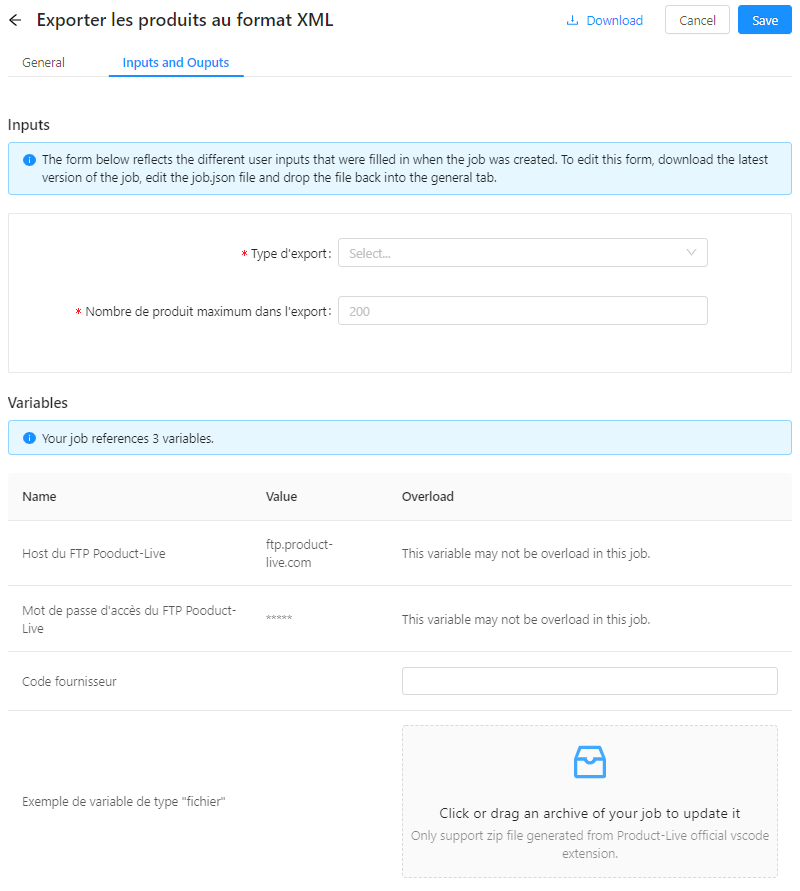
Inputs - Job input parameters
This is a preview of the form configured in the job and which will be displayed to the user when the job is launched. This cannot be edited from the interface. As with the job name, user inputs must be edited from the job description file - the job.json file.
Example of user inputs filled in the JSON definition of a job
{
    "schema": "1.0",
    "key": "job-key",
    "version": "1.0",
    "title": "Example",
    "description": "no description",
    "userInputs": [
        {
            "key": "user-input-1",
            "title": "File: ",
            "description": "no description",
            "required": true,
            "type": "FILE"
        }, {
            "key": "user-input-2",
            "title": "Select: ",
            "description": "no description",
            "required": true,
            "type": "SELECT",
            "options": [
                {
                    "key": "option-1",
                    "title": "Option 1"
                },{
                    "key": "option-2",
                    "title": "Option 2"
                }
            ],
            "default": "option-1"
        }, {
            "key": "user-input-3",
            "title": "Text:",
            "description": "no description",
            "required": true,
            "type": "TEXT",
            "default": ""
        }
    ],
    "tasks": []
}The variables
Here, the user is displayed the different variables referenced in the job. Some have been configured to be "overloadable" in the job. For these variables, a text or file input (depending on the type of the variable) is available and allows the user to override the value of this variable locally in the job (more information about this [here] (variables .md)).
Outputs
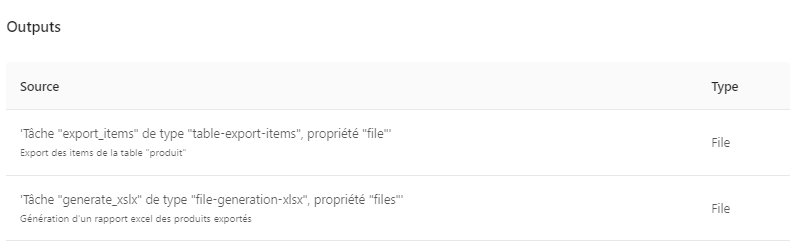
Here are exposed a non-editable summary of the outputs declared for the current job.
Shared jobs
It is possible to share jobs with a group of partners. These are visible in the interface below.
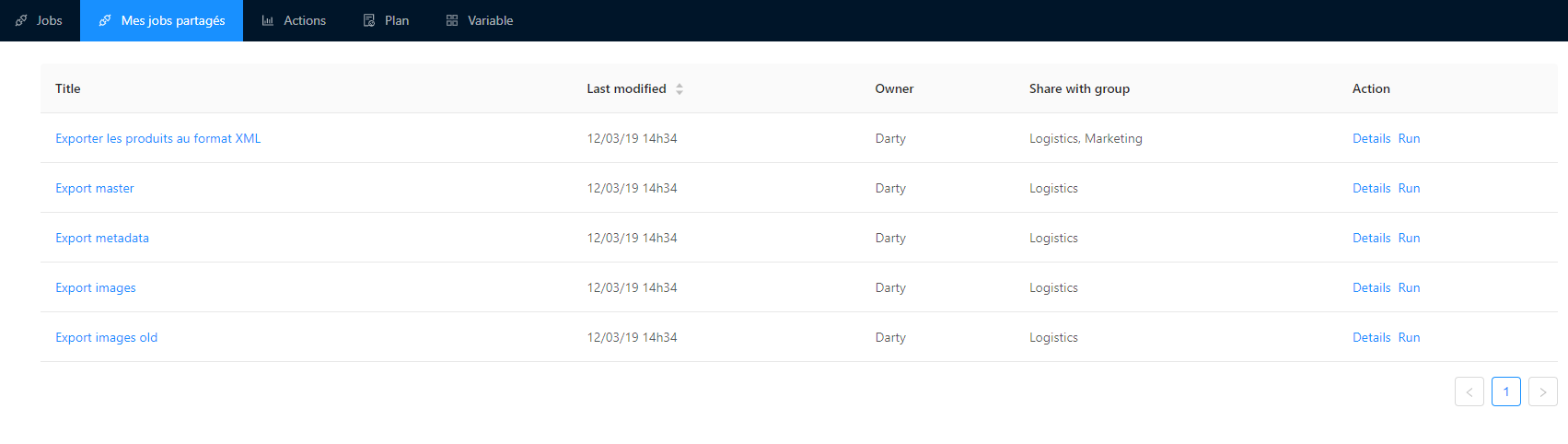
A job shared in detail
General information
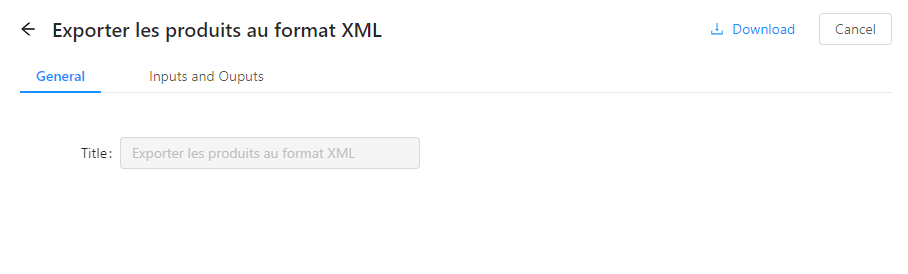
The actions available are:
- Display of the job title (not editable).
- Downloading the shared job
- Previous versions of this job cannot be downloaded.
Variables associated with shared jobs
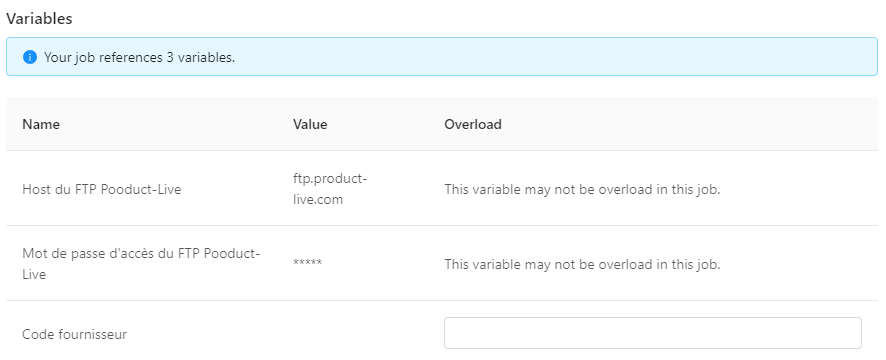
This interface is similar to the one found on a job that belongs to the current account. It allows the display of the variables integrated in this job, and the possible overloading of these.
Inputs and outputs
Like the interface dedicated to the job belonging to the current account, the detail view of a shared job allows you to view the different inputs and outputs offered by this job.
Task input and output data types
The enum type
The enum type (or enumerated type) is a data type that consists of a set of constant values.
Example for the terminate task, the terminationStatus parameter is an enum, whose possible values are FAILED or COMPLETED (see more details here)
The string type
The string type represents a string of characters. If any limitations should apply to this type, they will be mentioned in the specifications for each task.
The file type
The file type represents a file. The JSON presentation of this type is as described below:
{
    "filename": "file.xml",
    "type": "internal",
    "hash": "a812a69ba6858a54cefdb2fc3882e7ceb7d66aa1ed792562082872dd6ed4f921",
    "url": "https://app.product-live.com/data-factory/5fa43cc34ed9c07e6306613a/download/a812a69ba6858a54cefdb2fc3882e7ceb7d66aa1ed792562082872dd6ed4f921/file.xml"
}The internal properties of a file should not be manipulated directly. If a task expects a file type input, the whole object must be communicated and not just the url property.
Note for administrators: Files can be downloaded by copying the url in a browser if you have access to the account in question, or from the tool [File Tool](https://admin.product- live.com/file-tool) in the Product-Live administration interface.
The files type
The files type represents an array of file. The JSON representation of a files is as described below:
[
    {
        "filename": "file-1.xml",
        "type": "internal",
        "hash": "a812a69ba6858a54cefdb2fc3882e7ceb7d66aa1ed792562082872dd6ed4f921",
        "url": "https://app.product-live.com/data-factory/5fa43cc34ed9c07e6306613a/download/a812a69ba6858a54cefdb2fc3882e7ceb7d66aa1ed792562082872dd6ed4f921/file-1.xml"
    }, {
        "filename": "file-2.xml",
        "type": "internal",
        "hash": "a812a69ba6858a54cefdb2fc3882e7ceb7d66aa1ed792562082872dd6ed4f921",
        "url": "https://app.product-live.com/data-factory/5fa43cc34ed9c07e6306613a/download/a812a69ba6858a54cefdb2fc3882e7ceb7d66aa1ed792562082872dd6ed4f921/file-2.xml"
    }
]The boolean type
The boolean type is a type of variable with two states, true or false.
Example of use: The task protocol-soap-perform
The object type
The object type represents an object in JSON format.
Example usage: The terminate task