Lexique
The document below lists all our applications terms used in our specifications, issues, documentations, internal discussions and customer discussions.
How to use it
- With your brower search engine, search for your word. It can be:
- A Concept representing something manipulated in Product-Live
- A Technical word used in the code to manipulate or represent an entity
- A Functional word used in conversations and documentations
- From a Concept you can find the correct :
- The Technical word to use
- The Functional word to say
- From a Technical word you can find:
- The Concept behind
- From a Functional word you can find:
- The right Functional word to say
- The Concept behind
Concepts
One to many technical and functional words can refer to the same unique concept in Product-Live.
| Concept | Details | Technical word | Functional word |
|---|---|---|---|
Account | - ⚠️ Not to be confused with the User- It is the grouping of various entities such as Table or Users for a specific company.- It is often named after the name of the company it belongs to (ex: FNAC / DARTY, BOULANGER, LG - AUCHAN) | account | Account |
Admin | - ⚠️ Not to be confused with the User or Product-Live Employee- It is a role of a user on the app.product-live.com and settings.product-live.com platforms or of a Product-Live Employee on admin.product-live.com | admin | Admin |
Category | - It is a Classification option identified by a unique key.- A Category can have a parent Category- See details here | option | Category |
Cell | - ⚠️ Not to be confused with an Identifier, Classification, Field, Conditional-Formatting, or its value- It is a cell of the grid displayed on app.product-live.com. - In a Cell is displayed the value of an Identifier, Classification or a Field. | Cell | |
Classification | - ⚠️ Classification is often wrongly included in Field.- It is a Table property identified by a unique key composed of one to many Category organized as a tree- See details here | field | Classification |
Collect | - It is the action of an Account to receive a Publication from a Account on a Table shared to it, and to create Suggestion on an Item from it.- See details here | Collect | |
Column | - ⚠️ Not to be confused with an Identifier, Classification or a Field- It is a list of Cell displayed vertically in the grid (similar to a column in Excel)- A Column contains a Cell, for the same Identifier, Classification or a Field, for each displayed Item | Column | |
Condition | - ⚠️ Not to be confused with the Conditions or Condition-Group- It is the operation to verify on an Identifier, Classification or a Field in order to execute the Formula Action of the Rule- See details here | Condition | |
Condition-Group | - ⚠️ Not to be confused with the Conditions or Condition- It is the set of Condition (linked by the operator AND) defining when to execution the Formula Action of a Rule- See details here | Condition-Group | |
Conditional-Formattings | - It is the feature dynamically computing Item Status and highlighting Cell based on Conditional-Formatting Rule or Rule-Condition.- It is composed of one to many Conditional-Formatting Field- See details here | Conditional-Formatting | |
Conditional-Formatting Field | - ⚠️ Not to be confused with a Field of the Conditional-Formatting- It is a table property identified by a unique key. - It is composed of one default Status and one to many Status- See details here | field | Conditional-Formatting Field |
Conditional-Formatting Rule | - ⚠️ Not to be confused with a Rule or a Rule-Condition- It is a Conditional-Formatting feature specific definition of a comparison to check on a field.- See details here | Conditional-Formatting Rule | |
Conditions | - ⚠️ Not to be confused with the Condition or Condition-Group- It is the set of Condition-Group (linked by the operator OR) defining when an Formula Action or a Status must be activated- See details here | Conditions | |
Custom Task | - ⚠️ Not to be confused with a Task- It is a Task defined and implemented by a user- It is executed in the user infrastructure using the poll and update API and not in Data Factory | Custom Task | |
Data Factory | - It is a service orchestrator, built on top of Conductor - See details here | Data Factory | |
Field | - ⚠️ Not to be confused with the Field value, the Column or the Cell- ⚠️ Identifier and Classification are often wrongly included in Field- It is a table property identified by a unique key. - A Field can have various types- See details here | field | Field |
Formula | - ⚠️ Not to be confused with the Rule and the Formulas.- It is a set of Rule targeting an Identifier, a Classification or a Field within the Formulas on a Table.- See details here and here | Formula | |
Formula Action | - ⚠️ Not to be confused with the Rule- Within Formulas it is the operation to perform on a Field when the Rule Conditions are met- See details here | Action | |
Formulas | - ⚠️ Not to be confused with the Rule and the Formula.- It is the feature enabling to dynamically perform a Formula Action on an Identifier, a Classification or a Field value.- The Formulas is defined on a Table and is composed of one to many Formula on Identifiers, Classifications or a Fields.- See details here | Formulas | |
Grid | - ⚠️ Not to be confused with the Table- It is the display of a set of Line, Column and Cell on app.product-live.com as defined in a Screen- See details here | Grid | |
Id | - ⚠️ Not to be confused with the Key- It is the unique technical identifier attached to an entity | Id | |
Identifier | - It is a table property identified by a unique key. - An Identifier value is unique in a single TableSee details here | field | Identifier |
Item | - ⚠️ Not to be confused with the Line- It is a record in a Table. - It contains a value for each Table Identifier, Classification and Field | Item | |
Item Metadata | - ⚠️ Not to be confused with the Item Property- It is an Item attribute not editable by a User, such as id, createdAt, updatedAt... | ||
Item Property | - ⚠️ Not to be confused with the Item- It is an Item attribute such as a Partition, Field, Identifier, Classification, Conditional-Formatting Field- An Item has a value (empty or not) for each Item Property- A User can edit an Item Property | ||
Job | - ⚠️ Not to be confused with the Workflow of Job Execution- It is created by a User- It bundles assets that defines the workflow to be used. - See details here | Job | |
Job Execution | - ⚠️ Not to be confused with a Job- It is the execution of a Job within the Data Factory platform. | Job Execution | |
Key | - ⚠️ Not to be confused with the Id- It is the unique functional identifier attached to an entity. | Key | |
Level | - It is table item hierarchy level. See details here and more concret explanations here | Level | |
Line | - ⚠️ Not to be confused with an Item- It is a line of the grid displayed on app.product-live.com. - A Line contains a Cell, for the same displayed Item, for each of the Identifier, Classification and Field of the Screen | Line | |
Mapping | - ⚠️ Not to be confused with the Rule- It is the feature enabling to define, on a Table Identifier, Classification or Field, a Rule with another Table Identifier, Classification or a FieldThe Table on which is set a Rule is the target TableThe Table linked to the target Table is the source Table- See details here. | Mapping | |
Matrix | - It defines if a Field a common to all Category or specific to a Category- See details here | Matrix | |
Option | - It is a possible value of a Field of type SINGLE-SELECT, MULTIPLE-SELECT, MULTIPLE-SELECT-QUANTIFIED or MULTIPLE-SELECT-QUANTIFIED-WITH-COMMENT- It is identified by a unique key. - See details here | option | Option |
Partition | It is the entity in which an Account creates an Item.See details here | Partition | |
Publication/Collect | - It is the feature enabling an Account to Publish a Publication to another Account, which Collect it into a Suggestion- See details here and here | Publication/Collect | |
Publish | - It is the action of an Account to send a Publication from an Item (or not) on a shared Table to the Account owning the Table | Publish | |
Product-Live Employee | - ⚠️ Not to be confused with the User- It is a user of the admin.product-live.com platform for a physical person Product-Live employee - Only Product-Live employees can be have a Product-Live Employee | pl-user | Product-Live Employee |
Rule | ⚠️ Not to be confused with a Formula, Conditional-Formatting Rule or Rule-Condition- It is the definition of the Conditions and the Formula Action to perform on an Identifier, Classification, or a Field on an Item- A Rule can be defined in the Mapping and the Formulas features | Rule | |
Rule-Condition | - ⚠️ Not to be confused with a Rule or a Conditional-Formatting Rule- It is made of a single Conditions- See details here | Rule-Condition | |
Section | - It is a grouping of Screen Field- See details here | Section | |
Screen | - It is the definition of which and how to display Identifier, Classification, Field and Conditional-Formatting Field on the grid in app.product-live.com- It is composed of common and specific Section- See details here | Screen | |
Screen Field | - It is the definition of how to display a single Identifier, Classification, Field and Conditional-Formatting Field in a Section of a Screen on the grid in app.product-live.com- It defines which and how to display a Column- See details here | Screen Field | |
Status | - It is a Conditional-Formatting Field value- It is computed based on Conditional-Formatting Rule and Rule-Condition set on Field- See details here | option | Status |
Sub Workflow | - ⚠️ Not to be confused with a Task- Used by clients, it is a series of Tasks, System Tasks, or Sub-Workflow | ||
System Job | - It is a Product-Live native Job- It exists two System Job: Quick Import and Delete Items | System Job | |
System Task | - It is a native Conductor Task not associated with a Worker, such as fork, while, http, etc | ||
Table | - It is the definition of the Item and Screen structure- It is composed of multiple Partitions in which an Account creates an Item.See details here | Table | |
Task | - ⚠️ Not to be confused with a Job or a Worker- The smallest unit in Conductor, representing a block of interaction with a Worker- See details here | Task | |
Task Execution | - It is the execution of a Data Factory Task | Task Execution | |
Technical Task | - ⚠️ Not to be confused with a Task or a Worker- It is a step within a Data Factory Task | Technical Task | |
User | - ⚠️ Not to be confused with the Product-Live Employee- It is a user on the app.product-live.com and settings.product-live.com platforms for a physical person | user | User, Utilisateur |
Value | - ⚠️ Not to be confused with a Cell of a Status- It is the value of an Identifier, Classification, Field on an Item | Value | |
Variable | - It is a string usable in a Job- See details here | Variable | |
Worker | - Not to be confused with a Task of Technical Task- A service that executes custom code received from Conductor | Worker | |
Workflow | - ⚠️ Not to be confused with a Job- It is the raw Conductor term that describes a series of Tasks, System Tasks, or Sub-Workflows. | Workflow |
Technical words
Used in Product-Live code.
TIP
Strikethrough words are deprecated and must not be used. See details to know the correct word to use.
| Word | Details | Concept |
|---|---|---|
account | Account | |
| _ | Action | |
admin | Admin | |
| _ | Cell | |
| _ | Collect | |
| _ | Column | |
| _ | Condition | |
| _ | Condition-Group | |
| _ | Conditional-Formatting | |
| _ | Conditional-Formatting Field | |
| _ | Conditional-Formatting Rule | |
| _ | Conditions | |
| _ | Custom Task | |
| _ | Data Factory | |
| _ | Field | |
| _ | Formula | |
| _ | Formulas | |
| _ | Column | |
| _ | Id | |
| _ | Item | |
| _ | Job | |
| _ | Job Execution | |
| _ | Key | |
| _ | Level | |
| _ | Line | |
| _ | Mapping | |
| _ | Matrix | |
| _ | Option | |
partition | Partition | |
pl-user | Product-Live Employee | |
| _ | Publication/Collect | |
| _ | Publish | |
| _ | Rule | |
| _ | Rule-Condition | |
| _ | Section | |
| _ | Screen | |
| _ | Screen Field | |
| _ | System Job | |
| _ | Table | |
| _ | Task | |
| _ | Task Execution | |
| _ | Technical Task | |
user | User | |
| _ | Value | |
| _ | Variable | |
| _ | Worker | |
| _ | Workflow |
Functional words
Used in conversations and documentations.
TIP
- Strikethrough
wordscan be ambiguous and should not be used. See details to know the correct word to use. - Bold words should be used in conversations and documentations.
- Both french and english words are accepted.
| Word | Specificities | Illustration | Concept |
|---|---|---|---|
| Account |  | Account | |
| Action | See Job | 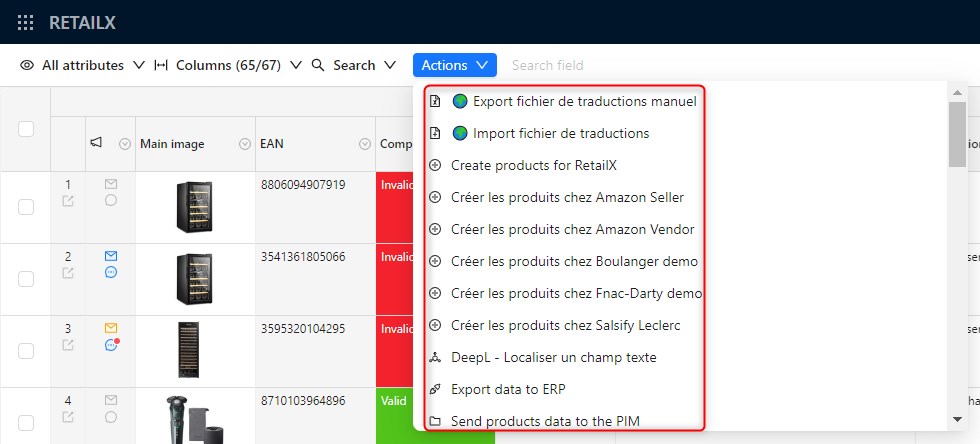 | |
| Action | 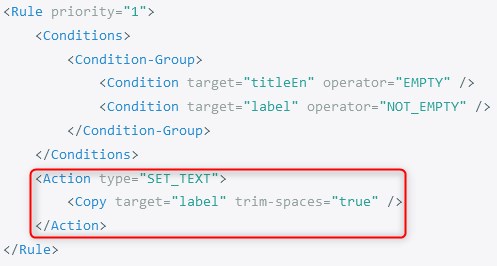 | Formulas Action | |
| Admin |  | Admin | |
| See Admin | |||
| Catégorie | See Category | ||
| Category | 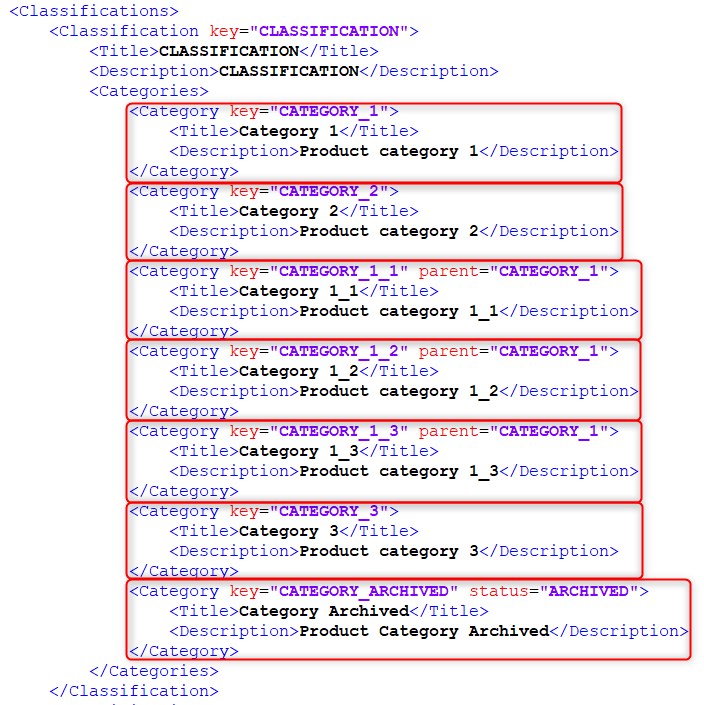 | Category | |
| Cell |  | Cell | |
| Cellule | See Cell | ||
| Champ | See Field | ||
| Champ de formatage conditionnel | See Conditional-Formatting Field | ||
| Classification | 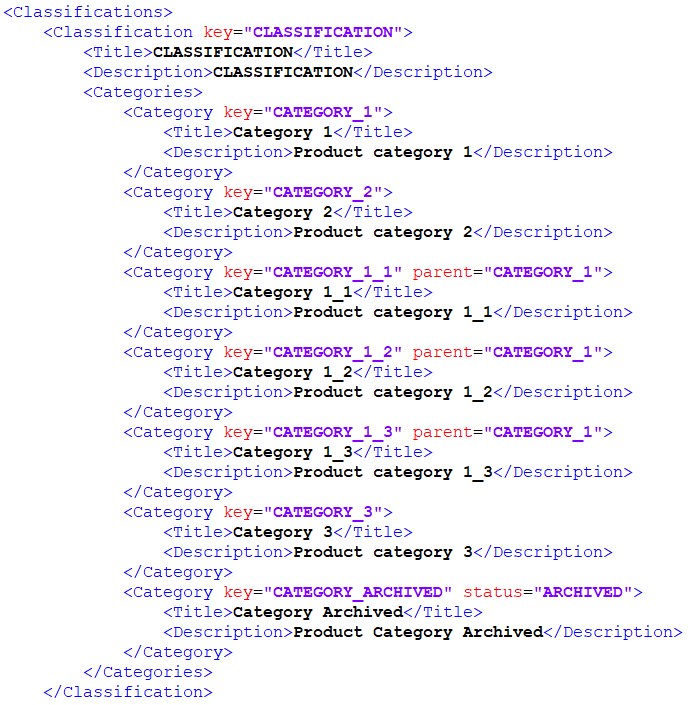 | Classification | |
| Clé | See Key | ||
| See Account | |||
| Collect | Collect | ||
| Collecte | See Collect | ||
| Colonne | See Column | ||
| Column |  | Column | |
| See Account | |||
| Compte | See Account | ||
| Condition |  | Condition | |
| Condition-Group | 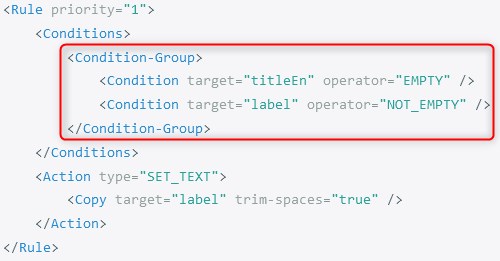 | Conditions | |
| Conditional-Formatting | 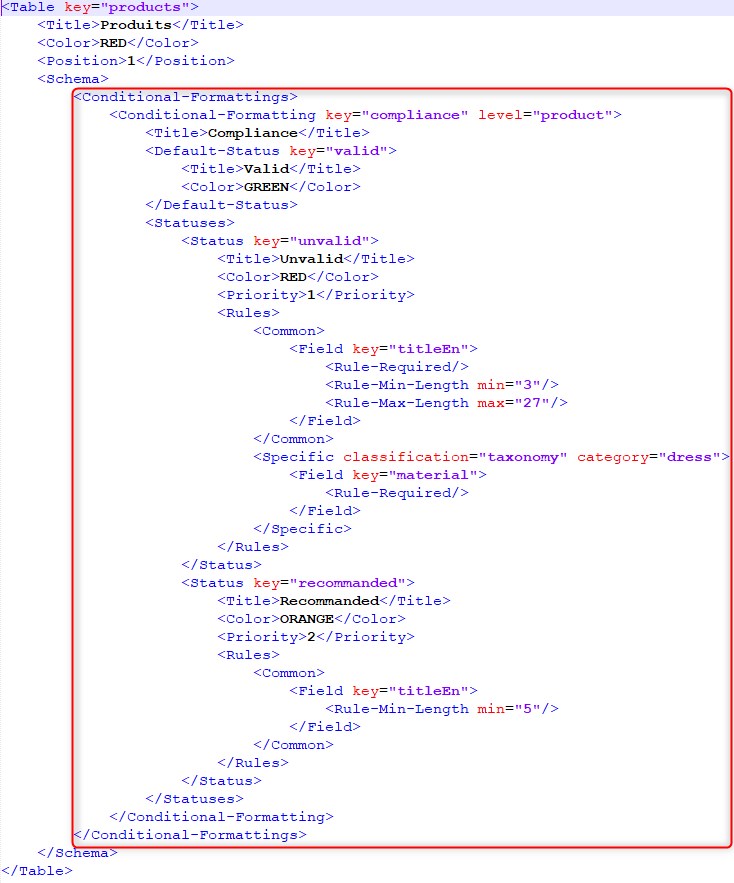 | Conditional-Formattings | |
| Conditional-Formatting Field | 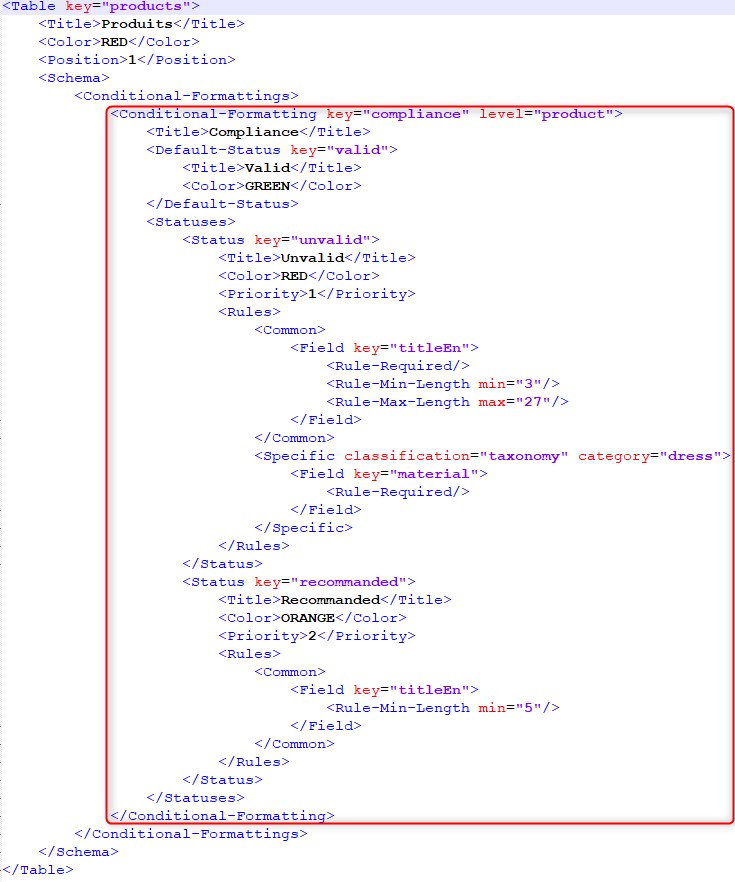 | Conditional-Formatting Field | |
| Conditional-Formatting Rule | 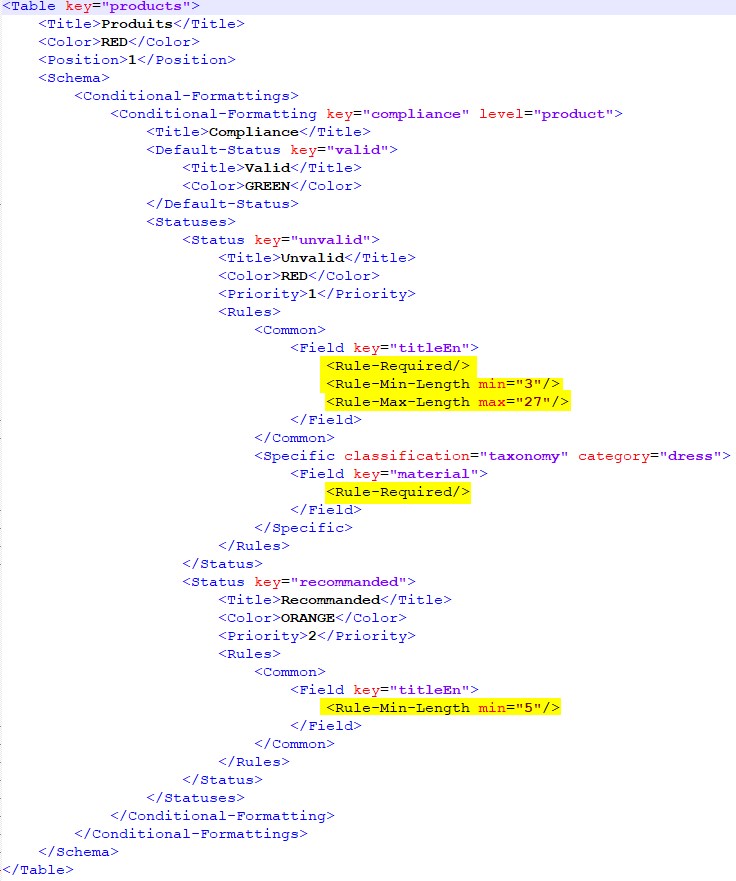 | Conditional-Formatting Rule | |
| Conditions | 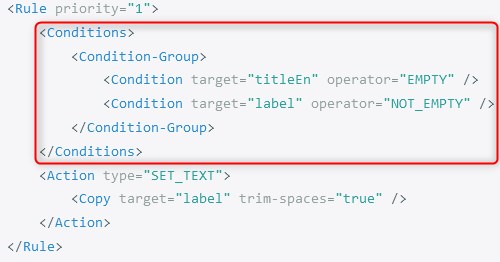 | Conditions | |
| CF* | See Conditional-Formatting Field | ||
| Custom Task | Custom Task | ||
| See Account | |||
| Data Factory | Data Factory | ||
| See Data Factory | |||
| Distributeur | See Retailer | Account | |
| See Retailer | |||
| Ecran | See Screen | ||
| Exécution d'un job | See Job Execution | ||
| Field |  | Field | |
| Formatage-Conditionnel | See Conditional-Formatting | ||
| Formula | 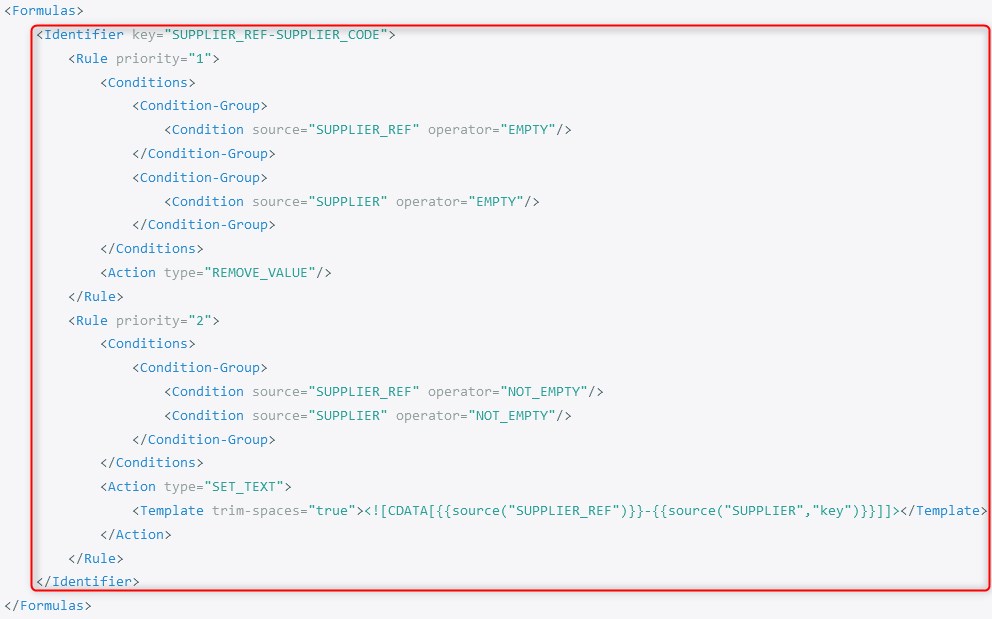 | Formula | |
| Formulas | 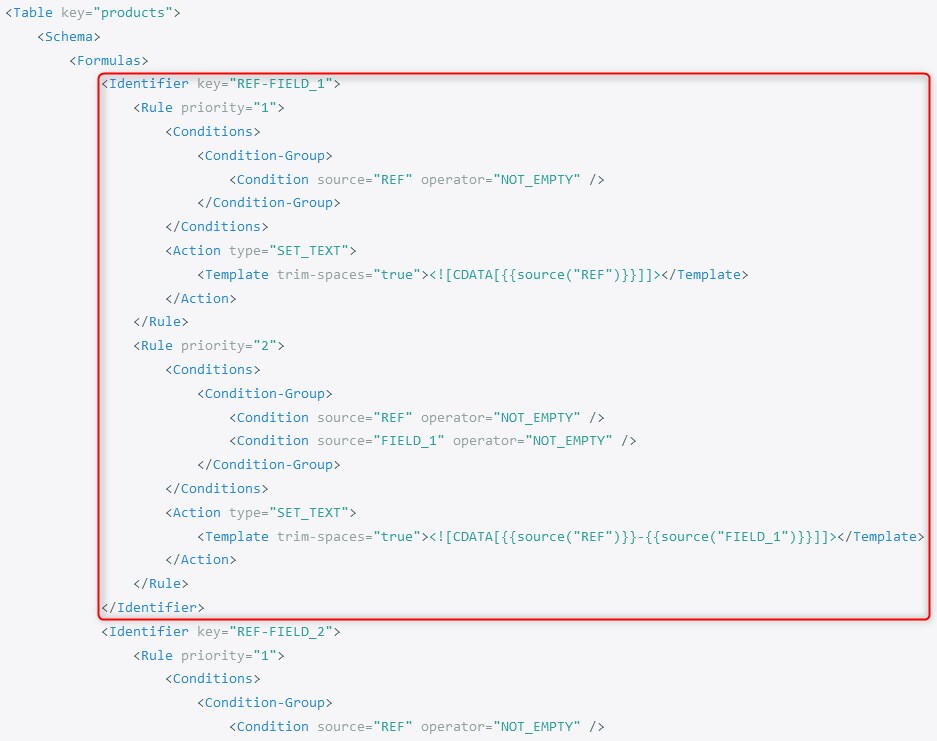 | Formulas | |
| Formule | See Formula | ||
| Formules | See Formulas | ||
| Fournisseur | See Supplier | Account | |
| Grid |  | Grid | |
| Grille | See Grid | ||
| Id | 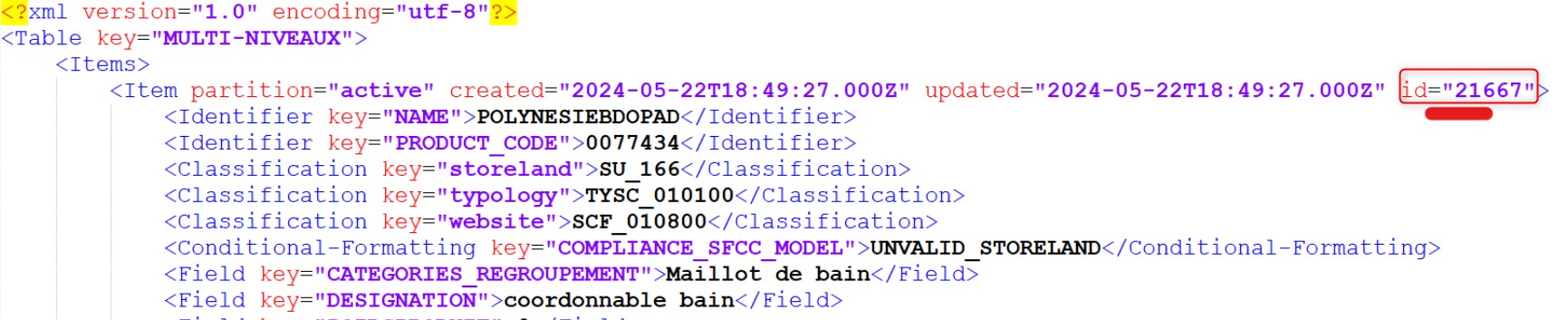 | Id | |
| Identifiant | See Identifier | ||
| Identifier | 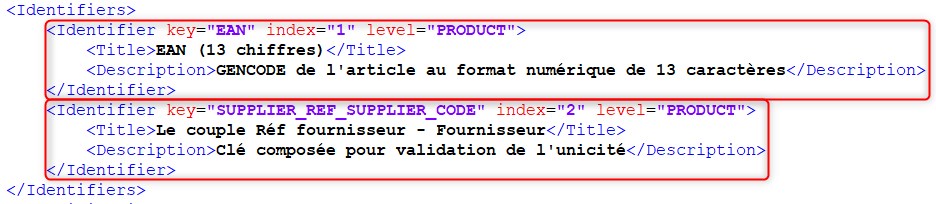 | Identifier | |
| Item | 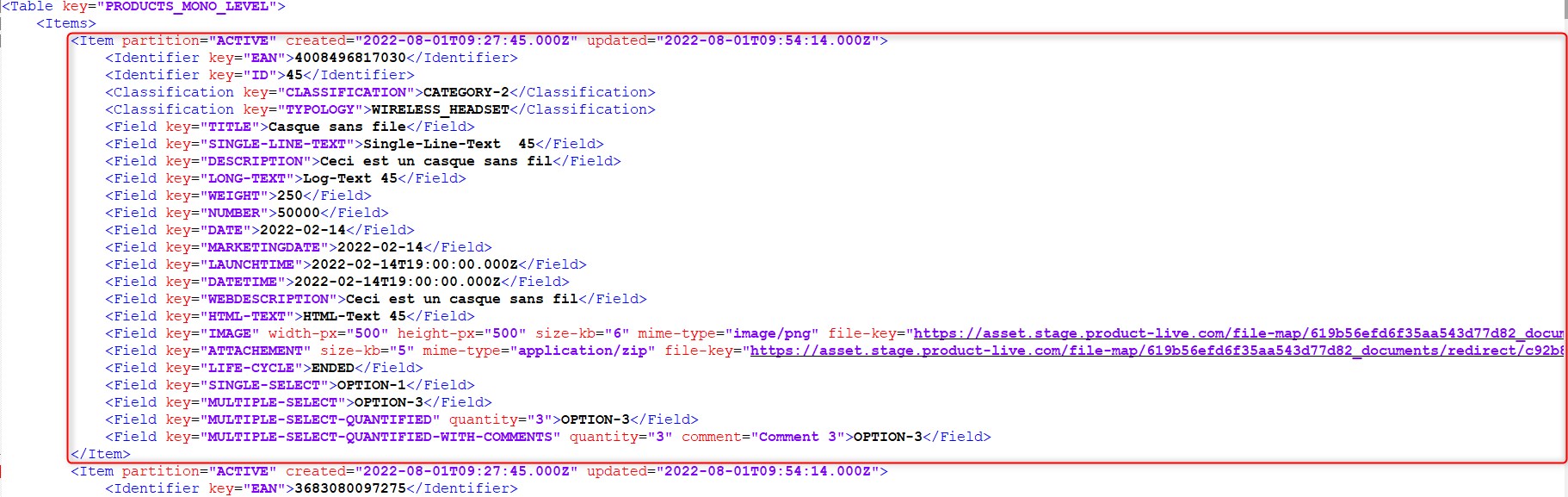 | Item | |
| Job | 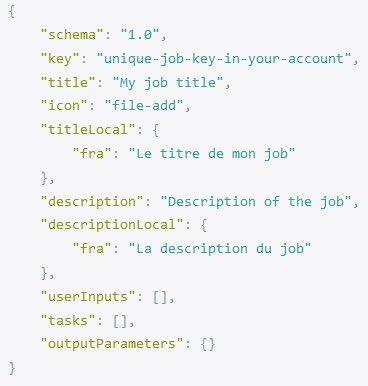 | Job | |
| See Job Execution | |||
| Job Execution | 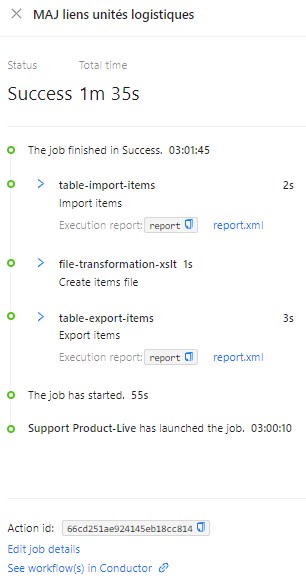 | Job Execution | |
| Job Système | See System Job | ||
| Key | 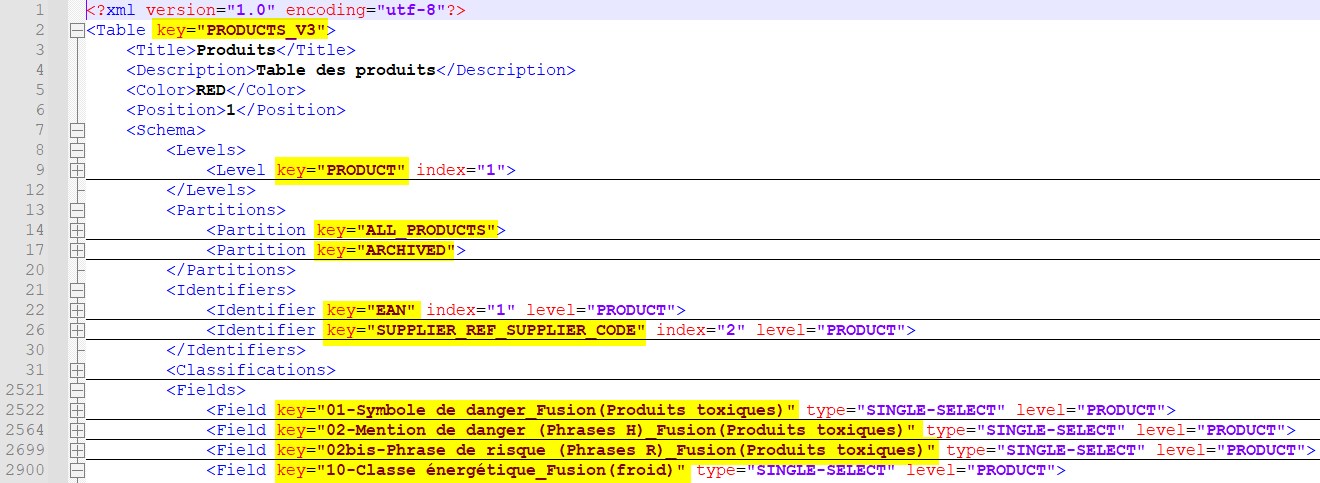 | Key | |
| Level | 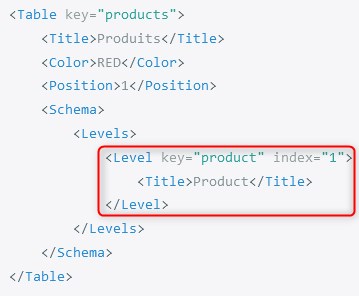 | Level | |
| Ligne | See Line | ||
| Line | 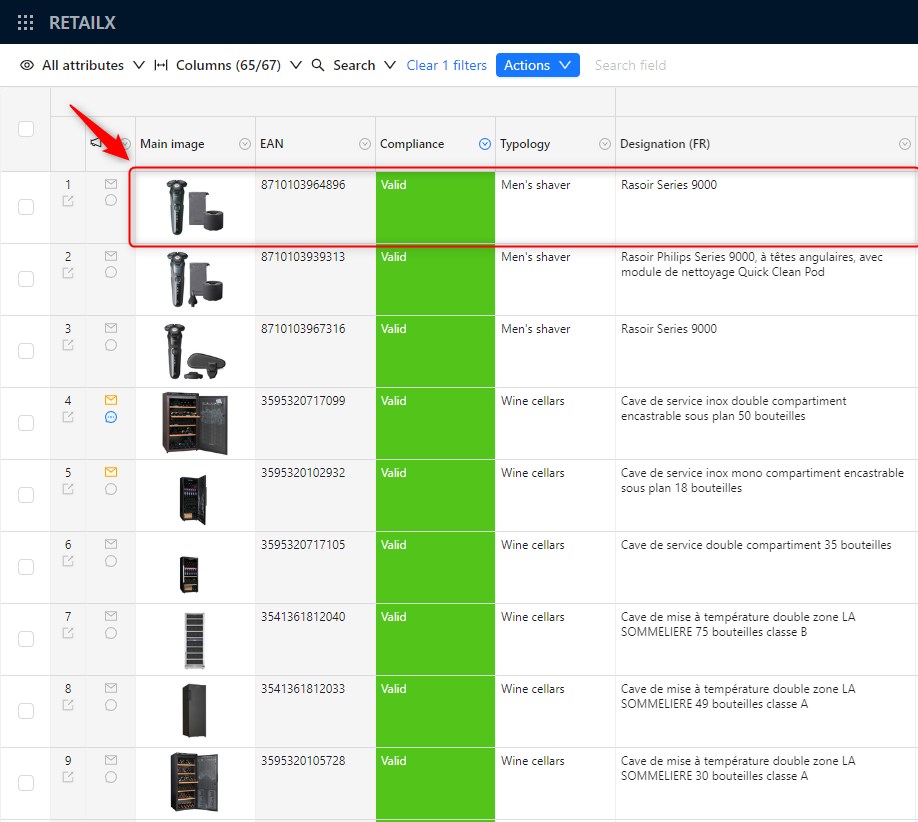 | Line | |
| Mapping | Mapping | ||
| See Matrix | |||
| Matrix | 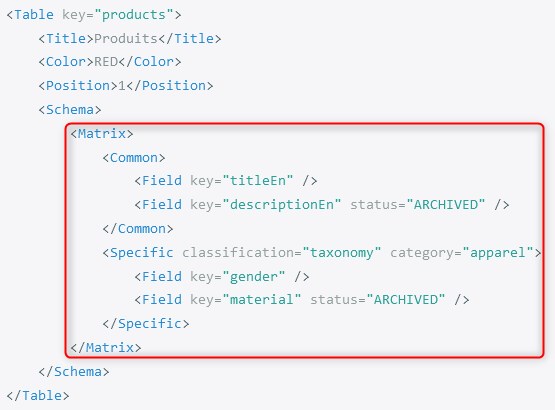 | Matrix | |
| Niveau | See Level | ||
| Option | 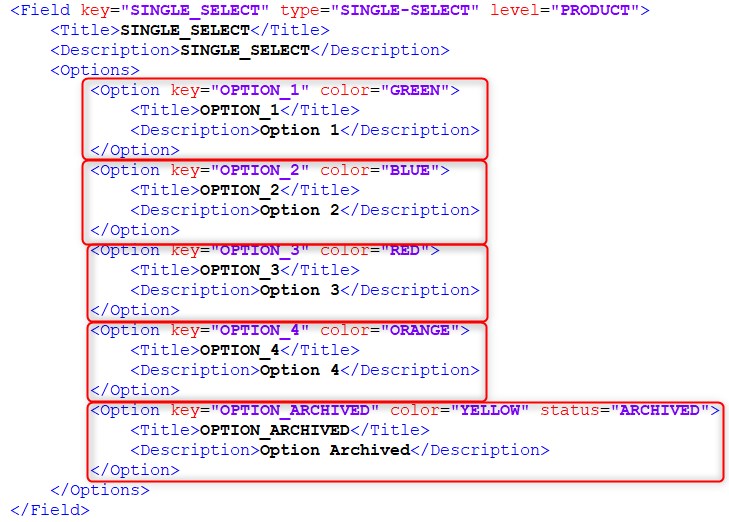 | Option | |
| Partenaire | See Partner | ||
| Partition | A Partition frequently represents a group where "active"/"archived" items are stored in. It can also be used to stored products from different seasons |  | Partition |
| Partner | It is another Account linked through a relation to the current Account See Account | 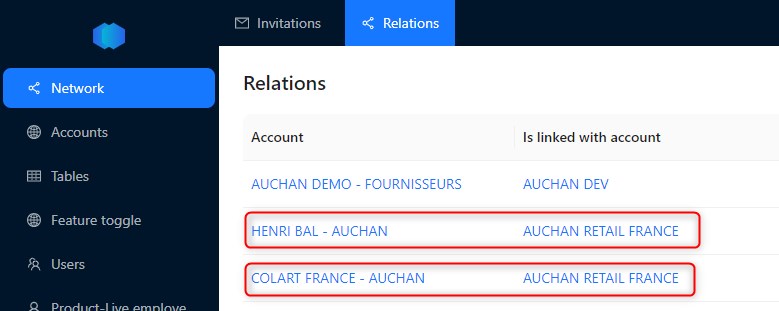 | |
| See User | |||
| See Product-Live Employee | |||
| Product-Live Employee |  | Product-Live Employee | |
| See Item | |||
| Propriétaire | See Owner | ||
| Publication | 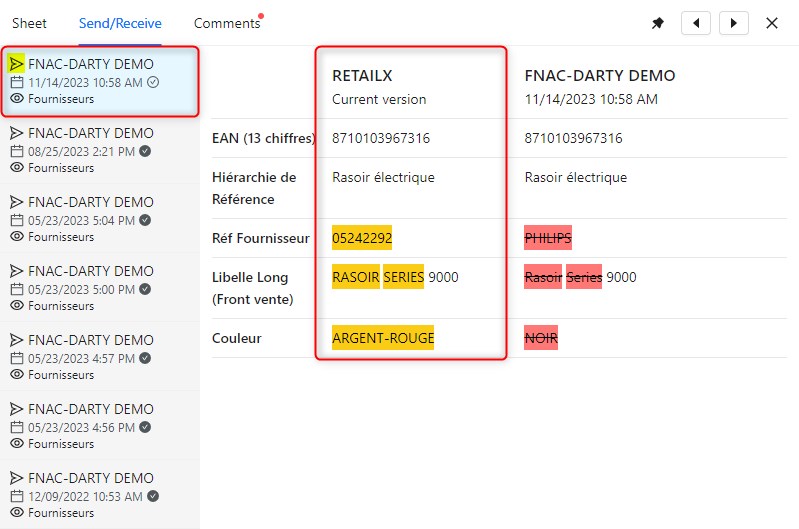 | Publication | |
| Publication/Collect | Publication/Collect | ||
| Publication/Collecte | See Publication/Collect | ||
| Owner | It is the Account to which an entity (Table, Publication, Item...) belongs to See Account | ||
| Règle | See Rule | ||
| Règle de formatage conditionnel | See Conditional-Formatting Rule | ||
| Retailer | It is an Account which shares a table to another Account See Account | ||
| See Line | |||
| Rule | 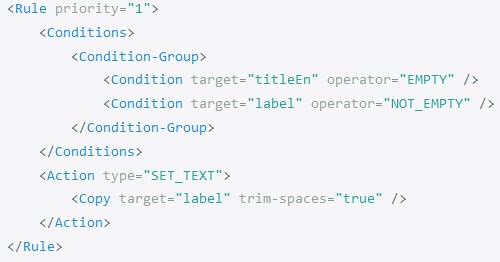 | Rule | |
| Rule-Condition | 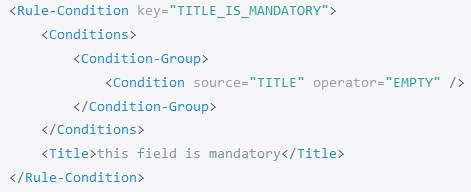 | Rule-Condition | |
| Schema | It is the the xml configuration file of a Table See Table | 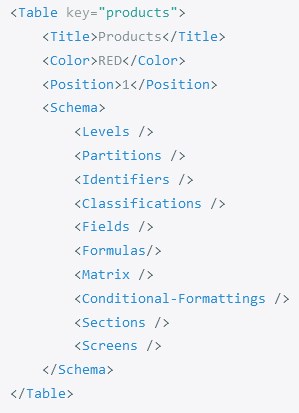 | |
| Screen | 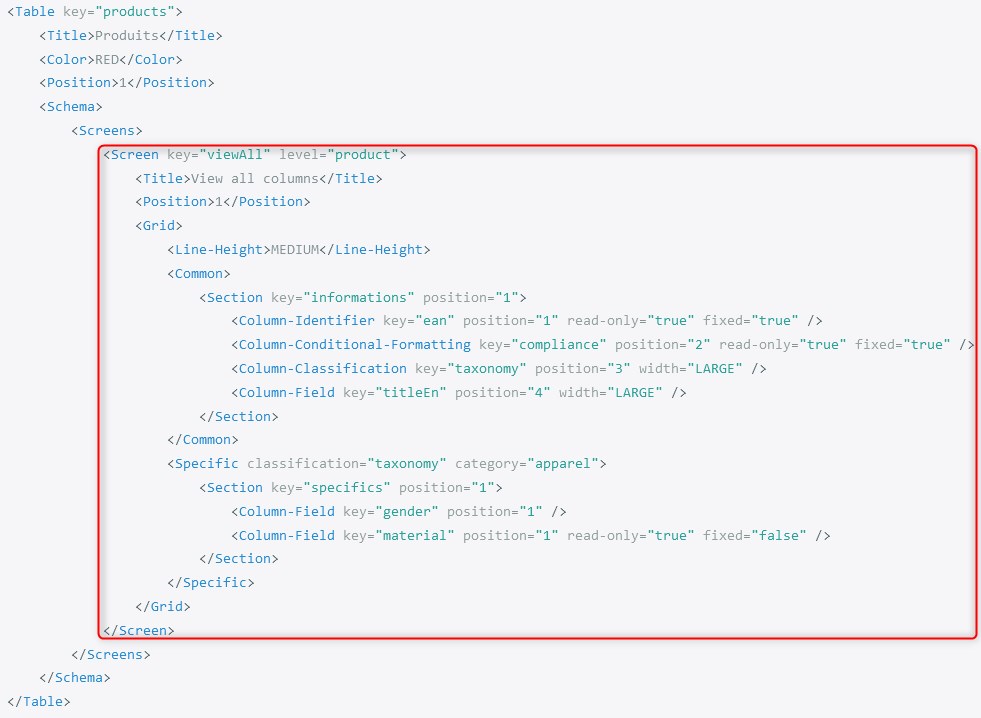 | Screen | |
| Screen Field |  | Screen Field | |
| Secret | It is a Variable which value is obfuscated to store sensitive data, such as passwords, API keys... See Variable | 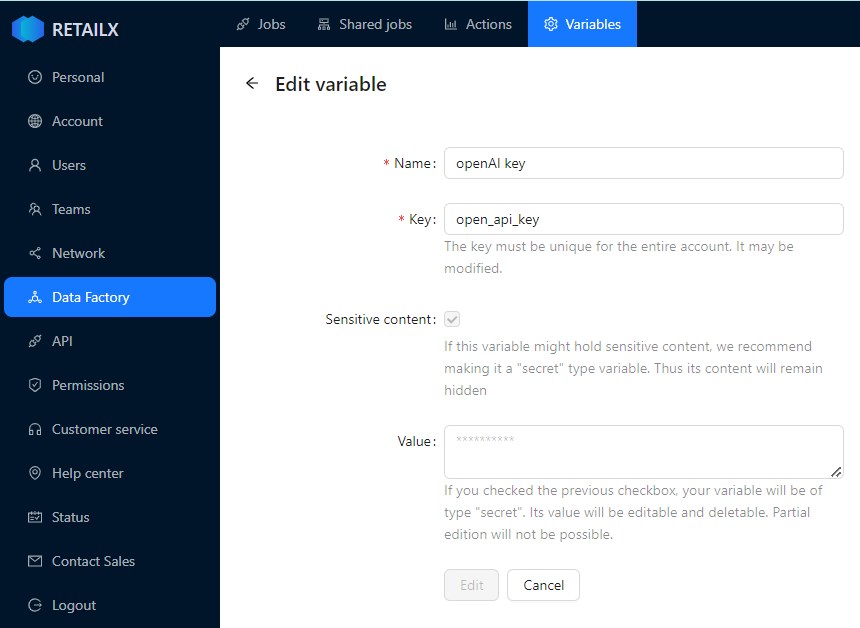 | |
| Section | 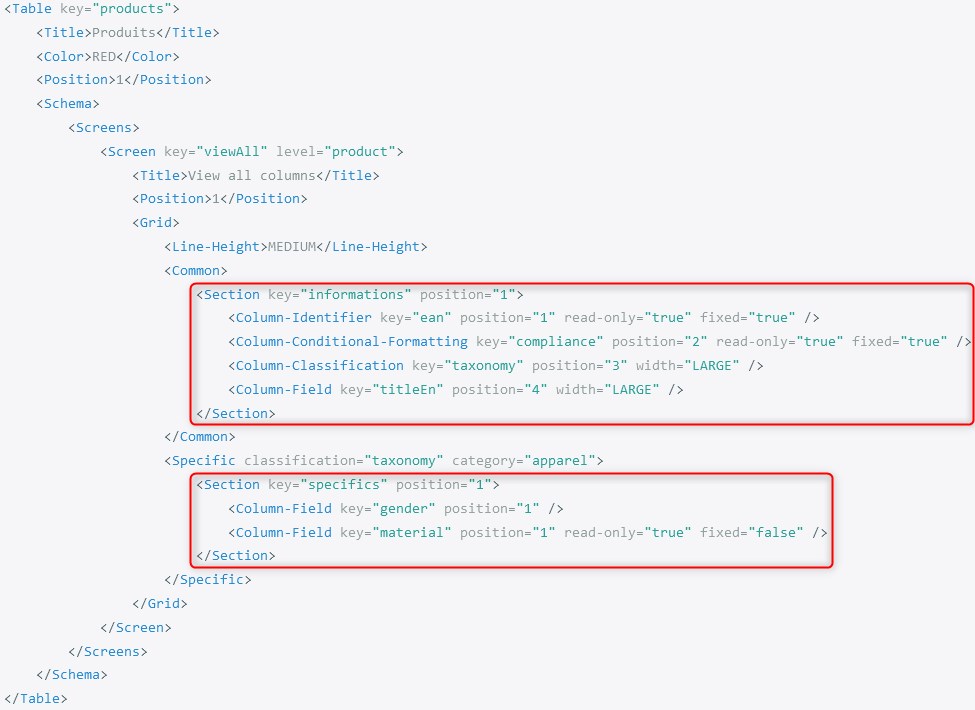 | Section | |
| See Schema | |||
| Status | 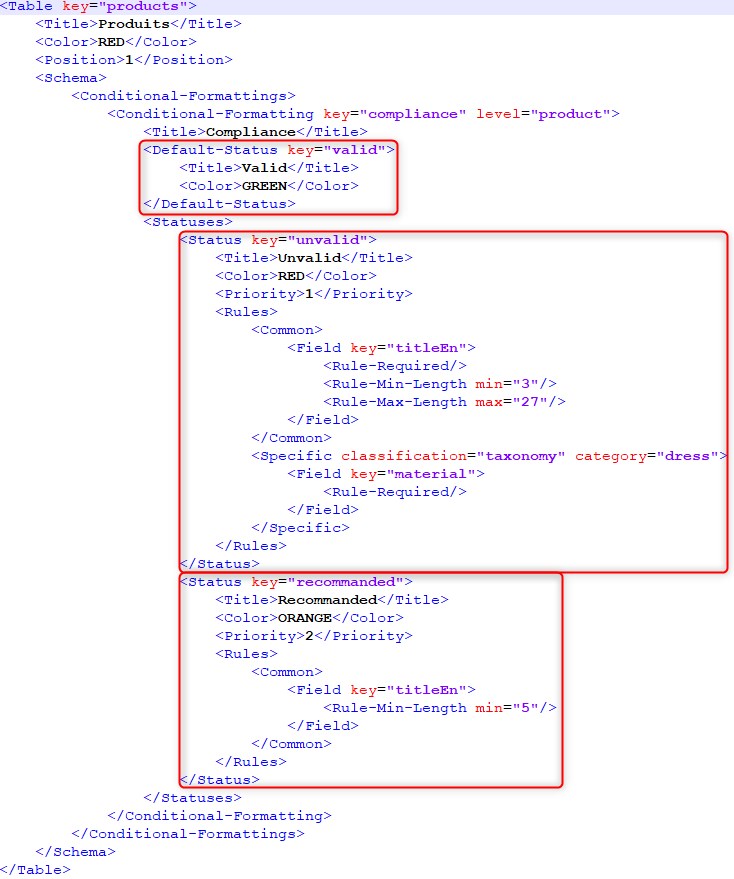 | Status | |
| Statut | See Status | ||
| Suggestion | 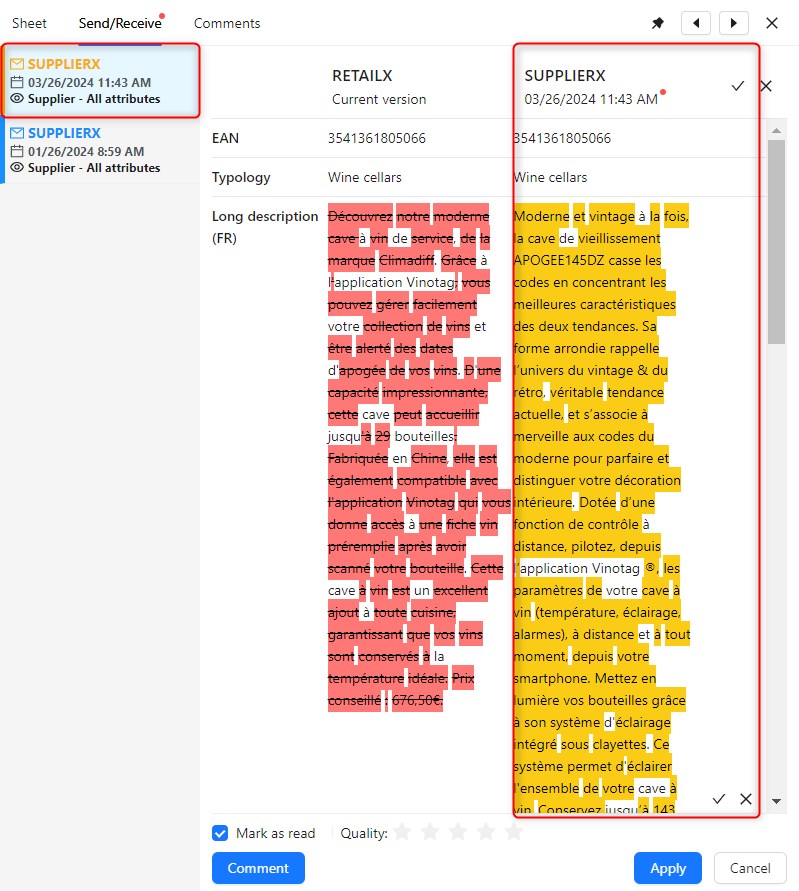 | Suggestion | |
| Supplier | It is an Account to which a table is shared by another Account See Account | ||
| System Job |  | System Job | |
| Table | Table | ||
| Tâche | See Task | ||
| Tâche Custom | See Custom Task | ||
| Tâche technique | See Technical Task | ||
| Task | 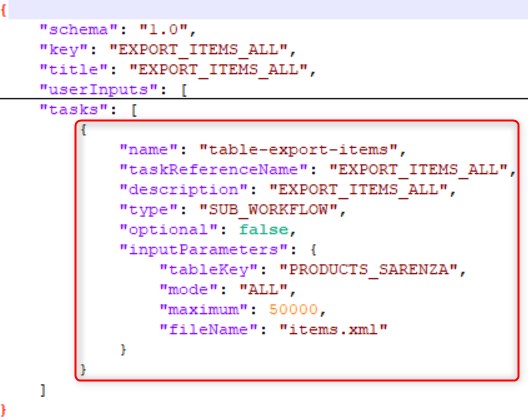 | Task | |
| Task Execution | Task Execution | ||
| See Taxonomy | |||
| See Schema | |||
| Technical Task | Technical Task | ||
| User |  | User | |
| Utilisateur | See User | ||
| Valeur | See Value | ||
| Value | 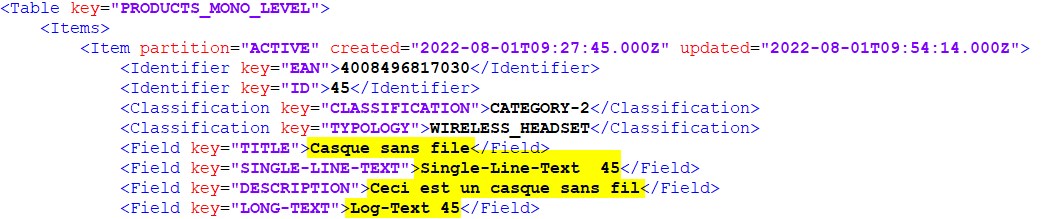 | Value | |
| Variable |  | Variable | |
| Worker | Worker | ||
| Workflow | Workflow |