Authentication > General Information
TIP
Product-Live uses Keycloak as Identity and Access Management system. It is an open source solution that provides authentication, authorization, single sign-on, and federation capabilities.
Authentication process
Remarks
- The authentication process is entirely managed by Keycloak.
- Since the version published on 2023-03-23, the user is no longer required to login when changing the account he is working on (whether working on the
app.product-live.comorsettings.product-live.comapplications).
Authentication process regarding the app.product-live.com and settings.product-live.com applications
mermaid
flowchart TD
    start_process(start)
    subgraph First screen
    fill_form_email("User provide its email")
    end
    subgraph Second screen
    fill_form_password("User provide its password")
    end
    check_user_identity("Check of user identity inside our identity management system - using its email")
    check_user("Verification that the user exists within the Product-Live platform - using its email")
    check_user_status("Checking overall user status")
    select_account("Selection of the account to which the customer will be redirected")
    display_invalid_username_and_password("Displaying an error message - 'Invalid username or password.'")
    display_app("Display of the target application (app.product-live.com or settings.product-live.com)")
    display_app_with_error_message("Display an error message telling the user that he does not have permission to access the target application")
    end_process(End)
    start_process --> fill_form_email
    fill_form_email --> fill_form_password
    fill_form_password --> check_user_identity
    check_user_identity -- "Username and password are correct" --> check_user
    check_user -- "The user exist the Product-Live user database" --> check_user_status
    check_user_status -- "The user's status is 'ACTIVE'" --> select_account
    select_account -- "The user has at least one account in which his status is 'ACTIVE'" --> display_app
    check_user_identity -- "User is not verified, username and password are not correct" --> display_invalid_username_and_password
    check_user -- "The user does not exist within the target application" --> display_app_with_error_message
    check_user_status -- "The user does not exist within the target application" --> display_app_with_error_message
    select_account -- "User does not have access to any account" --> display_app_with_error_message
    subgraph Third screen
    display_invalid_username_and_password --> end_process
    display_app_with_error_message --> end_process
    display_app --> end_process
    end
Password reset
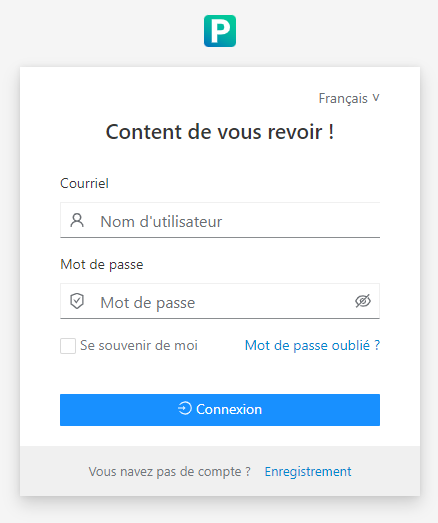
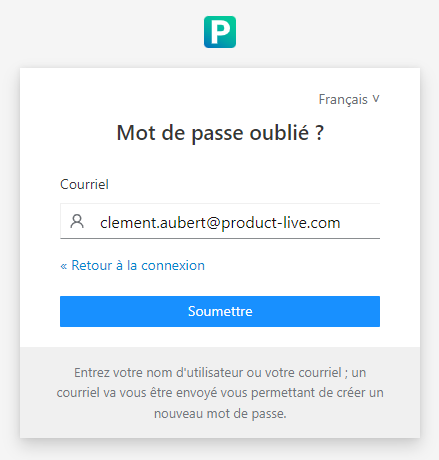
- The reset password link is available from the second step of the authentication process.
Step 1:
Step 2:
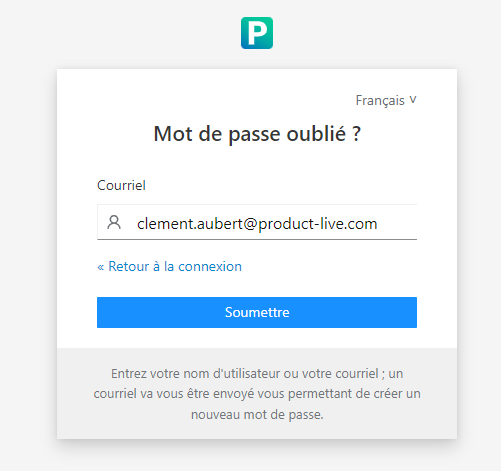
Password reset form:
Mail sent to the user:
Remark
The locale of the email is based on the locale of the user on the Keycloak side. This information is never update, even when the user changes his locale on the Product-Live platform.
French version:
Bonjour [User firstname] [User lastname],

Vous avez demandé à réinitialiser votre mot de passe pour votre compte Product-Live: clement.aubert@product-live.com. Pour continuer, cliquez sur le lien ci-dessous.

Réinitialiser mon mot de passe

Ce lien expire dans 15 minutes.

Si vous n'êtes pas à l'origine de cette demande, vous pouvez ignorer ce message.

— L'équipe Product-LiveTechnical details
- The flow is completely managed by Keycloak.
- The link provided in the email expires after 15 mins and may only be used once.