Feature toggles
The behavior of each Feature toggle is described below.
Context
To offer Business teams additional arguments for up-selling features with high added value, feature toggles make it possible to distinguish the technical opening from the business opening of the features.
It also gives the business teams the possibility to better visualize which customers have which features and to open these features when necessary without going through the technical team.
I want to know the features open to a client to understand its use
In Product-Live Admin you can see which features are available for a customer in its Accounts Plan.
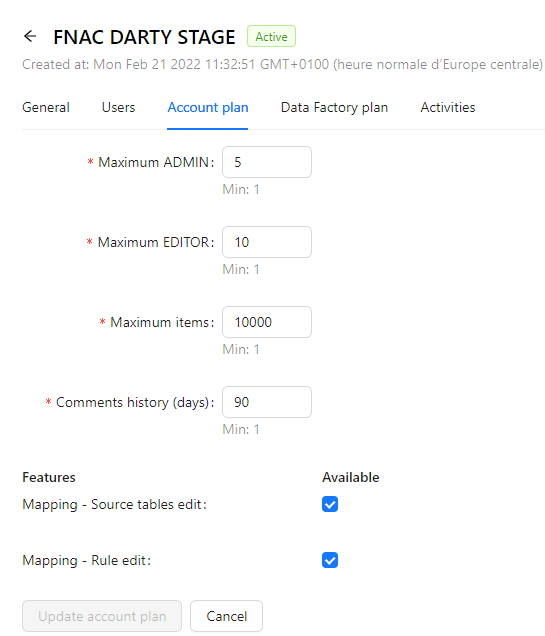
There, you can also enable/disable features available on the account.
I want to know which customers to target for feature up-selling
In Product-Live Admin you can find which features are available for a customer in the Feature toggle menu.
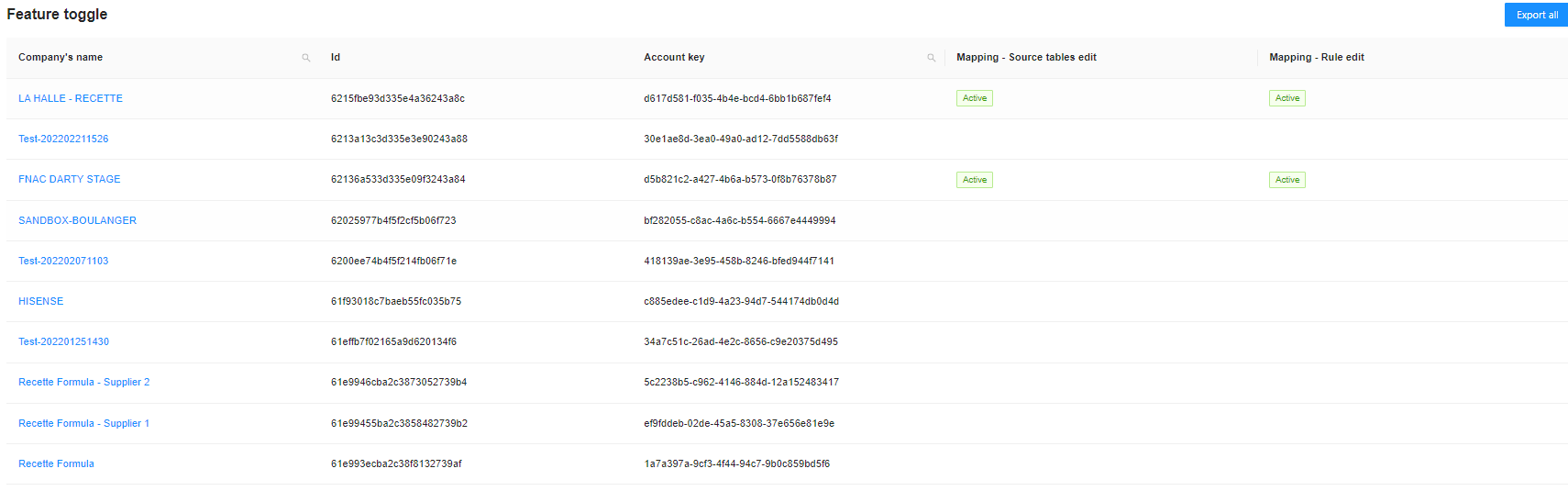
All accounts are listed with feature toggle status.
You can search a specific customer by its account name and key.
You can export the list of feature toggles for the searched accounts.
I want to enable/disable a feature for a customer to apply their contract
In Product-Live Admin you can enable/disable a customer feature in its Accounts Plan.