✋ Authorization and permissions management > Amazon Authorization Workflow
The authorization model for the Selling Partner API is based on Login with Amazon, Amazon's implementation of OAuth 2.0. In this model your application is authorized through interactions with pages displayed by Amazon and by your website. The web browser is the user-agent that passes parameters between your website and Amazon at each selling partner action. To implement OAuth authorization you must configure your website to (1) accept and process the parameters that Amazon passes to it, and (2) redirect the web browser and pass parameters to Amazon. developer-docs.amazon.com
The whole process is described in the Amazon Selling Partner API documentation: Website authorization workflow. Below is a simplified diagram of the process:
sequenceDiagram
    participant user as Selling Partner
    participant application as settings.product-live.com
    participant auth_server as Amazon Auth Server
    Note right of user: Using a web browser
    user->>application: 1. User Initiate the Authorization Request
    activate application
    application -->>user: 2. settings.product-live.com redirect user to Amazon Auth Server
    deactivate application
    user->>auth_server: 3. User Authorizes Application
    auth_server-->> application: 4. User is redirected to settings.product-live.com with an Oauth code
    Note right of user: User interaction ends here
    application ->> auth_server: 5. Product-Live asks for a refresh token unsing the Oauth code
    auth_server -->> application: 6. Amazon respond with a refresh token
    application ->> application: 7. We save the refresh token alongside the partner_id for later use.
User interface
The authorization process may be initiated by the user from the "Integration" page of the settings.product-live.com application.
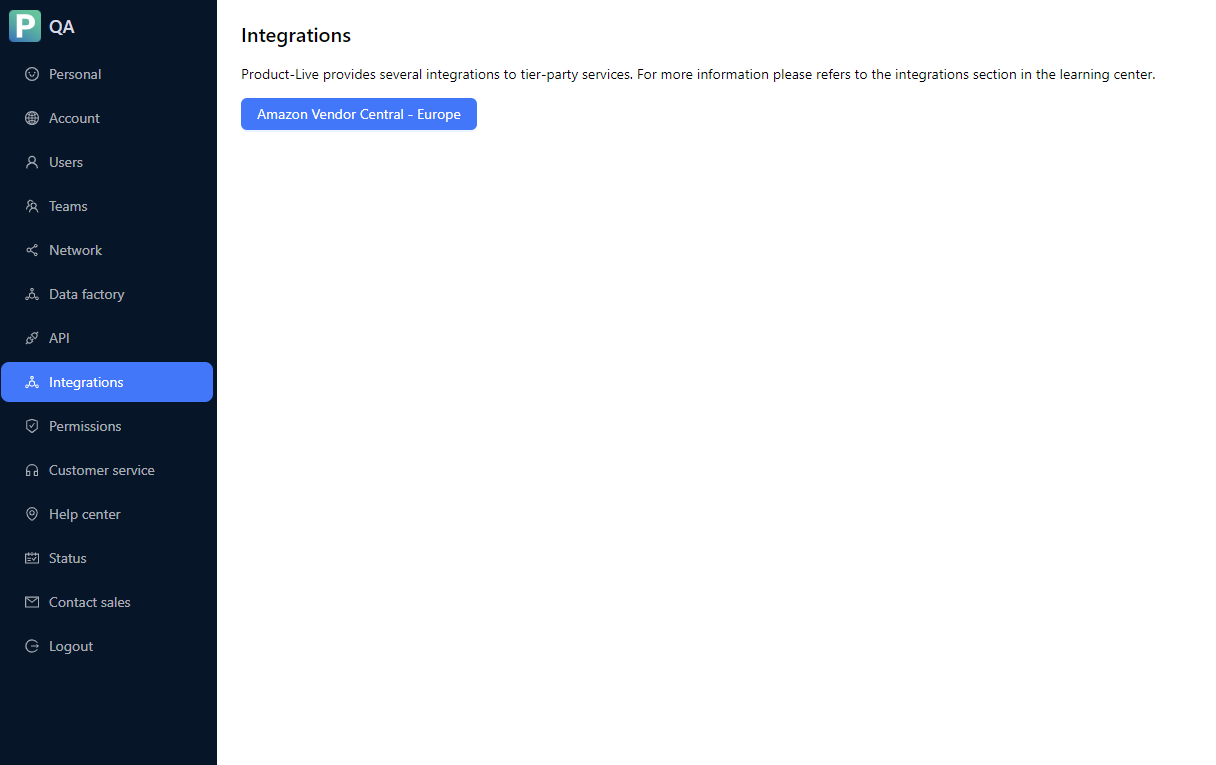
Clicking on the "Amazon Vendor Central" card will lead the user to the dedicated integration page on the Amazon side
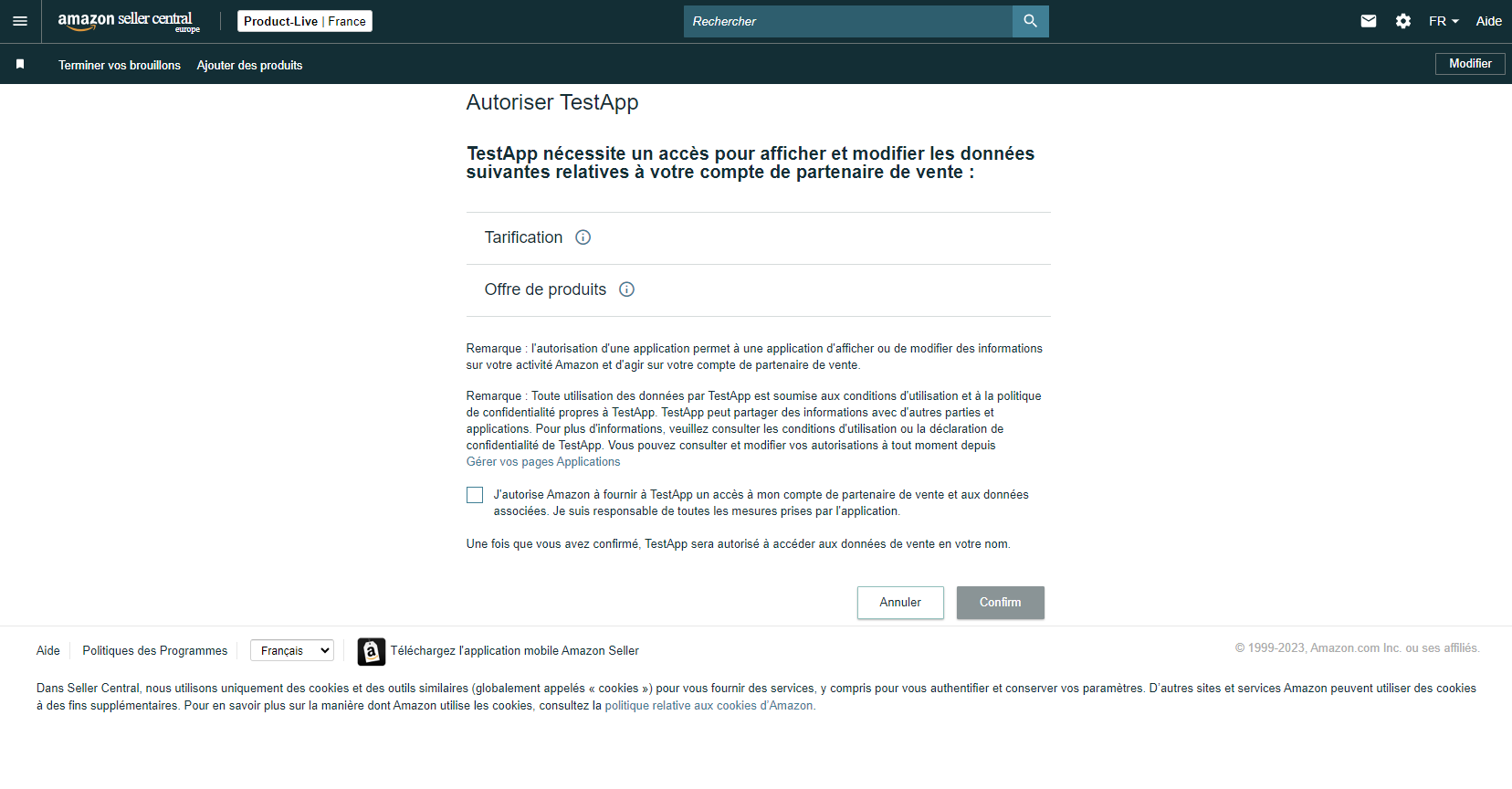
Once the authorization process is completed, the user is redirected to the "Integration" page of the settings.product-live.com application.
Technical implementation
The partner id and the refresh token are store in two variables
pl_amazon_vendor_central_europe_partner_idandpl_amazon_vendor_central_europe_refresh_tokenin order to be used by the application.The integration may be performed at any time, any number of times.
The date when the integration was performed is not yet stored in the database and thus not displayed to the user.
The implementation is summarized by the diagram below, which is very similar to the simplified workflow described above. The notable difference is that parts of the workflow are delegated to the backend, to ensure secrecy for the authentication of the PL app.
sequenceDiagram
    participant user as Selling Partner
    participant settings as settings.product-live.com
    participant seller as Amazon Seller Europe
    participant haku as haku
    participant auth_server as Amazon Auth Server
    Note right of user: Using a web browser
    user->>settings: 1. User Initiate the <br/> Authorization Request
    activate settings
    settings -->>user: 2. settings.product-live.com redirects user <br /> to Amazon Seller Europe <br /> with the PL app id
    deactivate settings
    user->>seller: 3. User Authorizes Application
    seller-->> settings: 4 User is redirected to settings.product-live.com <br /> with an Oauth code and the partner id
    activate settings
    Note right of user: User interaction ends here
    settings->> haku: 5.1 GET request to /amazon/auth <br /> with Oauth code and partner id
    haku ->> auth_server: 5.2 GET request with Oauth code, <br /> PL app credentials
    auth_server -->> haku: 6. Amazon respond with a refresh token
    haku ->> haku: 7. We save the refresh token alongside the partner id for later use.
    haku -->> settings: 7.1 Successful completion of the workflow returned to user.
    deactivate settings
Step 7 does a few additional steps:
- it adds an activity element to the db, to store the date the integration were made and the PL user that made the integration.
- it stores the partner id and the refresh token in Data Factory variables (
pl_amazon_vendor_central_europe_partner_idandamazon_vendor_central_europe_refresh_token), so we can use them inside a Data Factory Job. Introduce reserved key for Data Factory variables so there is no overlap with other integrations or variables created by the user.