New navigation between accounts/contexts/tables/partitions/screens
Overview
This feature enables a new navigation between accounts/contexts/tables/partitions/screens. At the same time it deactivates the old navigation between accounts and between contexts. And it moves the screen navigation onto the App header.
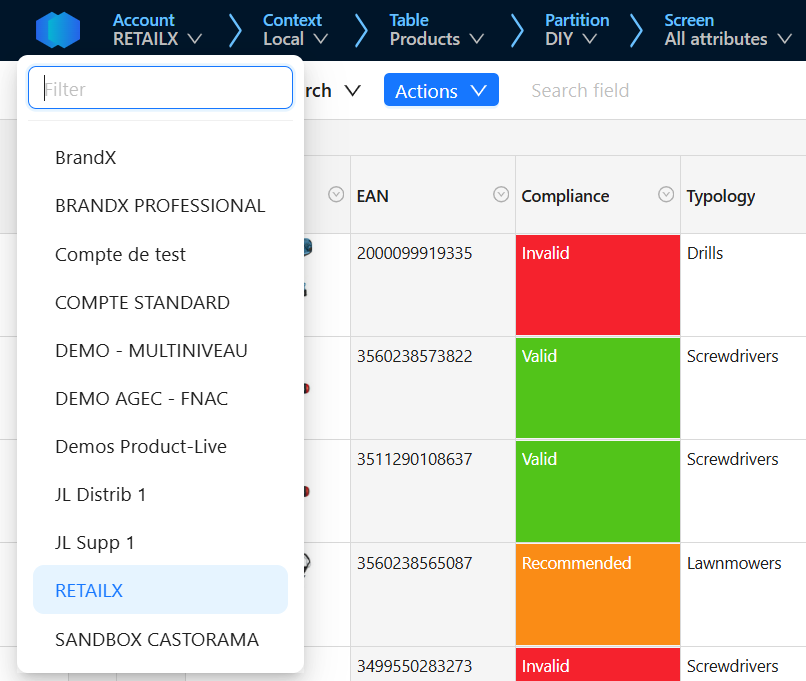
- The navigation is split in multiple menus, one for accounts, one for contexts, one for tables, one for partitions, one for screens
- In each menu
- An alphabetical list, based on local title (if set, otherwise on title) of elements
- The list of elements is based on the user permissions, displaying only elements the user is allowed to use
- If more than 10 elements exist, a filter is made available. It filters elements based on closest local title (if set, otherwise on title) compared to user typed characters
- The internal context is named Local
- Users can open in a new browser tab another contexts, tables, partitions and screens with
Ctrl+clic - Users CANNOT open in a new browser tab another accounts
- Accounts/contexts/tables/partitions/screen names are displayed on two lines at most, and truncated if title is too long. A tooltip enables to read it
- The size of each menu depends on the width of the screen (to some extend: down to 1024 pixels). The Product-Live icon can be hidden to save some space.